
Instructions for the Koha Celebrations Extension
Description
The Koha Celebrations extension for OPAC allows administrators to easily customize the public interface of their Koha catalog.
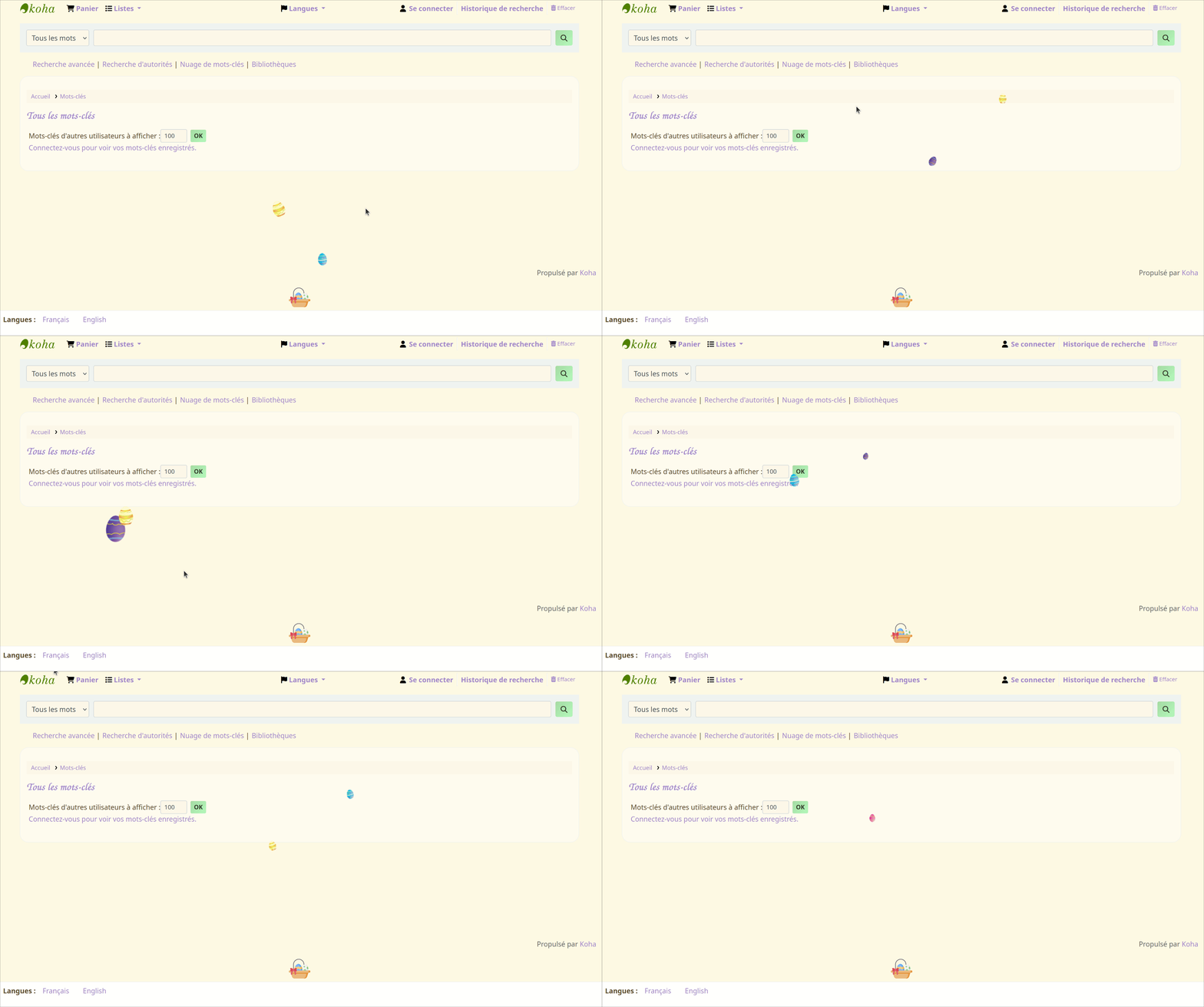
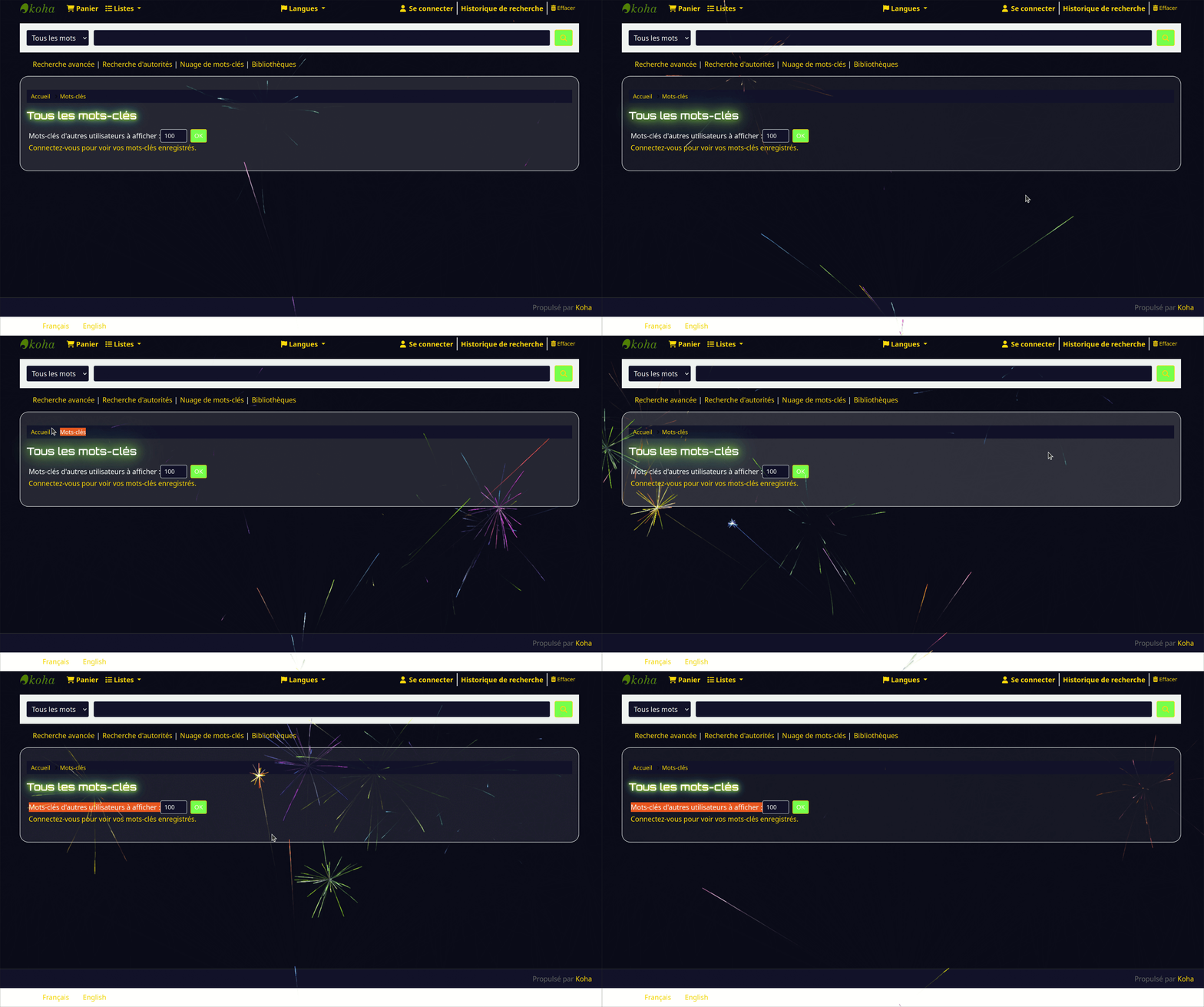
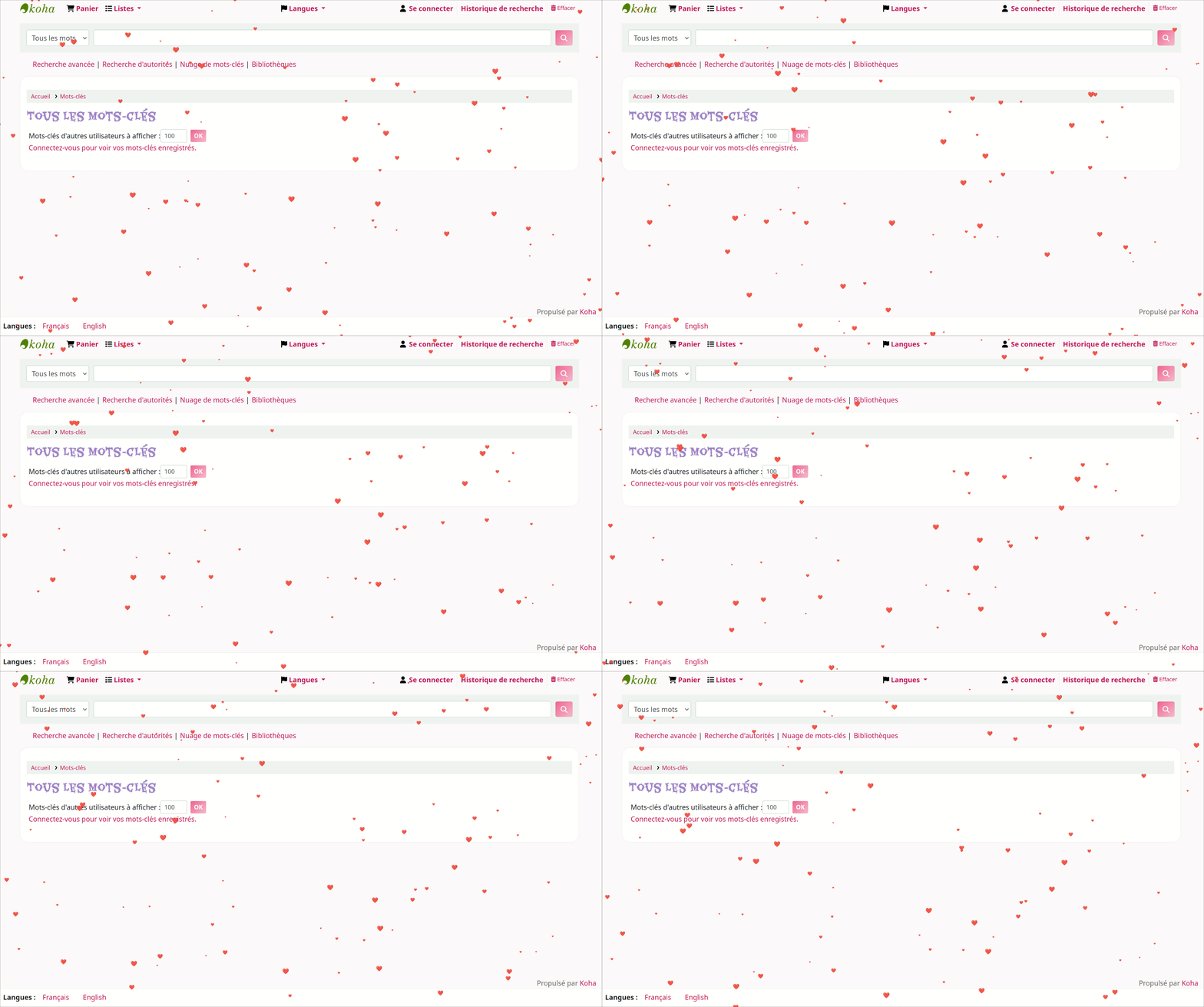
With this plugin, it’s simple to create a seasonal visual atmosphere that matches every time of the year : Christmas, Halloween, Valentine’s Day, Easter, and more.
Each theme automatically adjusts the main colors, animations, and decorative elements of the site.
As a result, your OPAC becomes more dynamic, engaging, and pleasant to use for your patrons.
Moreover, all customizations : colors, effects, animations, and decorations, are entirely optional.
Administrators can enable or disable each element individually according to their preferences or the library’s visual identity.
Download the Koha Extension
Technical Version
You can view the project on GitHub, as it is an open-source plugin that will include more themes in the future.
Also, feel free to contact us with your feedback, suggestions for improvement, or ideas for new seasonal themes.
GitHub Link for the Koha Celebrations Extension
Simple Version
You can simply download the .kpz file by clicking the “Download” button, then import it from the plugin management page in your Koha intranet.
If a previous version of the Koha Celebrations extension is already installed in your Koha, you must uninstall it before adding a newer version.
Using Our Koha Extension
To access the configuration:
1. Open the Extensions page in Koha.
2. Click Action → Run Tool to launch the Celebrations plugin.
3. If the plugin is not activated, a message will prompt you to do so.
Next:
-
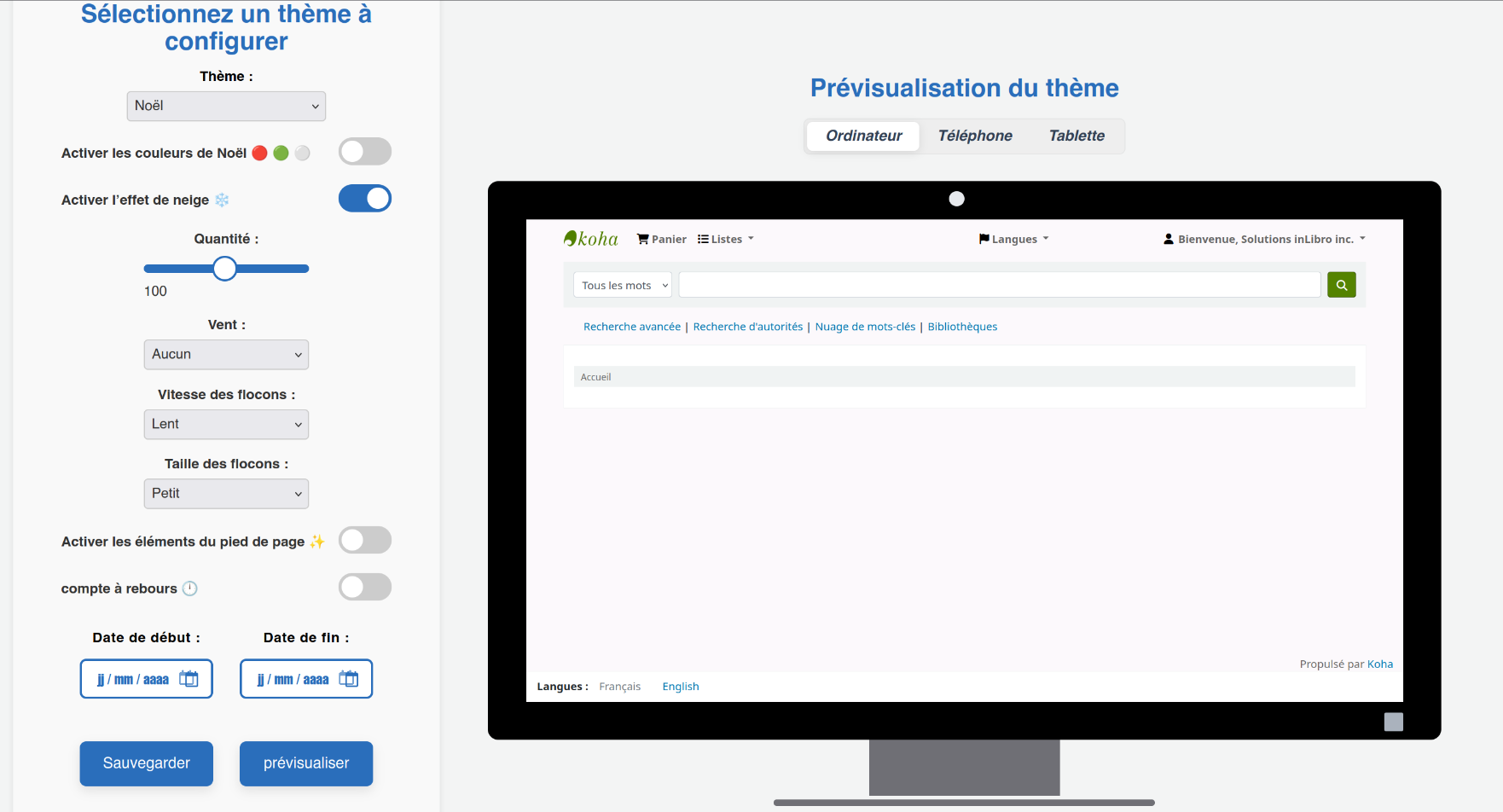
Select a theme from the list (Christmas, Halloween, etc.).
- Set the dates during which this theme should be automatically applied to the OPAC.
-
Enable or disable visual elements according to your needs (animations, decorations, colors, etc.).
-
Adjust the settings (size, speed, quantity, position, etc.) for each effect.
- Preview your changes on desktop, tablet, and phone using the preview window.
-
Finally, save your changes so they are automatically applied to your OPAC on the scheduled dates.
Tip: try several combinations to create a unique and festive experience for your users!
Automatic theme activation
Once a theme is saved, the Koha Celebration extension automatically manages its activation.
-
The theme becomes active automatically on the defined start date (at midnight).
-
It is automatically deactivated on the end date.
-
No manual intervention is required after saving.
You can therefore schedule multiple themes in advance for the entire year
(Christmas, Valentine’s Day, Easter, etc.).
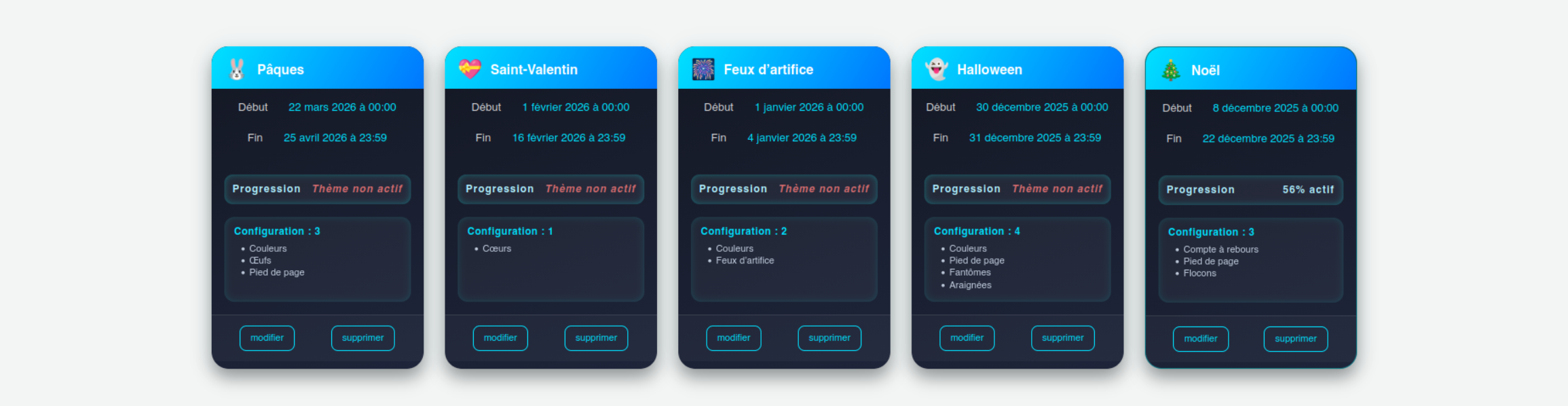
Configuration menu (extension administration)
The administration menu of the Koha Celebration plugin is clear and intuitive.
It allows you to manage all aspects of customization without writing a single line of code.
-
Changes are immediately visible in your OPAC interface thanks to live preview on desktop, tablet, and mobile.
-
You can schedule theme configurations for specific dates, with all selected elements and settings (size, speed, quantity, position, etc.).
-
Each configuration can be previewed, edited, or deleted easily, providing full control over the catalog’s appearance throughout the year.
This approach allows you to create a festive and dynamic experience automatically, without manual intervention for each occasion.
About the preview
The preview allows you to visualize the theme rendering on desktop, tablet, and mobile devices.
It is provided for reference purposes only.
Minor differences may exist between the preview and the final display,
especially for very fine graphical effects.
Configuration menu (extension administration)
The administration menu of the Koha Celebration plugin is clear and intuitive.
It allows you to manage all aspects of customization without writing a single line of code.
-
Changes are immediately visible in your OPAC interface thanks to live preview on desktop, tablet, and mobile.
-
You can schedule theme configurations for specific dates, with all selected elements and settings (size, speed, quantity, position, etc.).
-
Each configuration can be previewed, edited, or deleted easily, providing full control over the catalog’s appearance throughout the year.
This approach allows you to create a festive and dynamic experience automatically, without manual intervention for each occasion.
About the preview
The preview allows you to visualize the theme rendering on desktop, tablet, and mobile devices.
It is provided for reference purposes only.
Minor differences may exist between the preview and the final display,
especially for very fine graphical effects.
Main Features
-
Seasonal Theme Selection:
Choose from multiple predefined themes (Christmas, Halloween, Valentine’s Day, Easter, etc.) via a configuration panel. -
Color Customization:
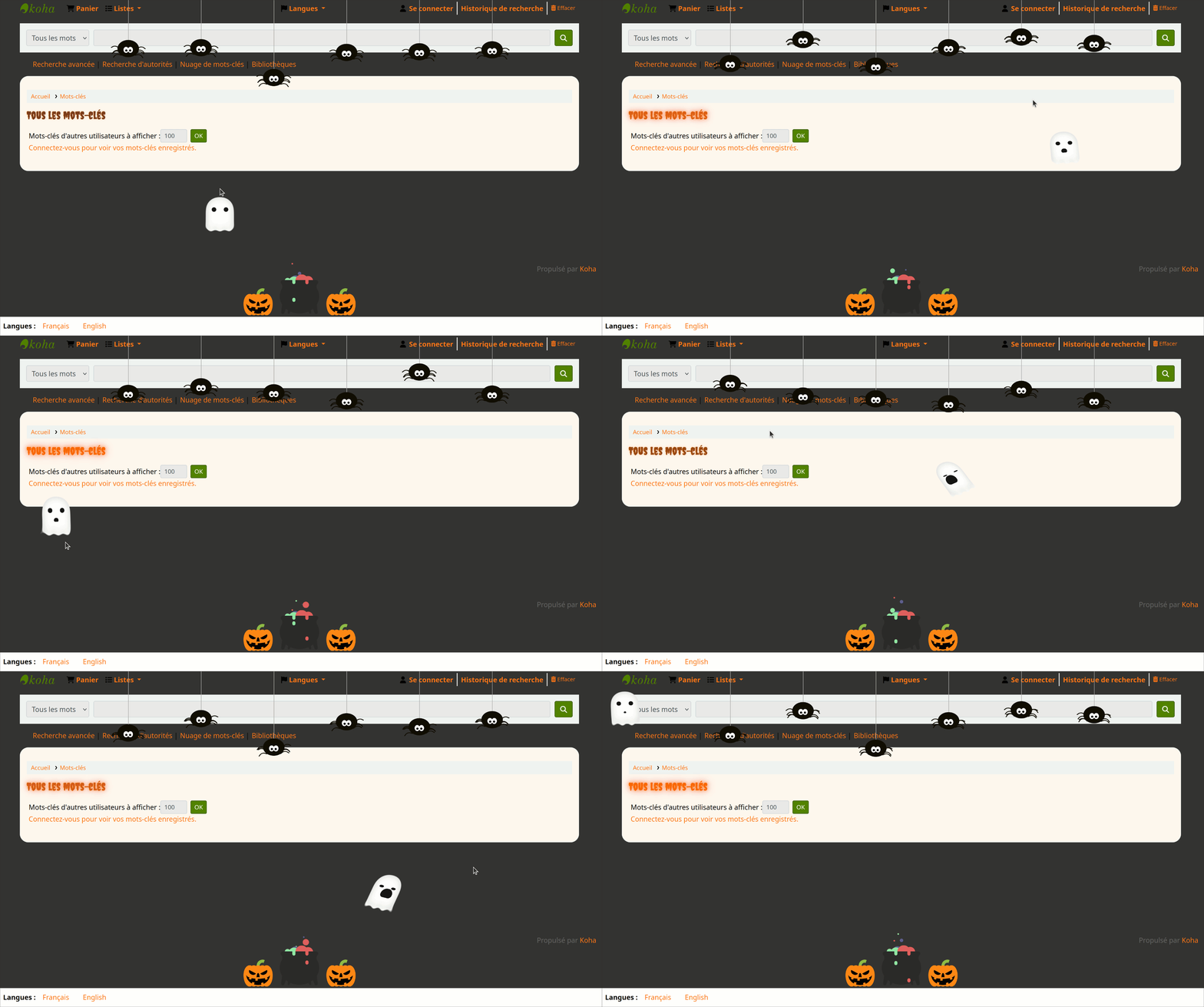
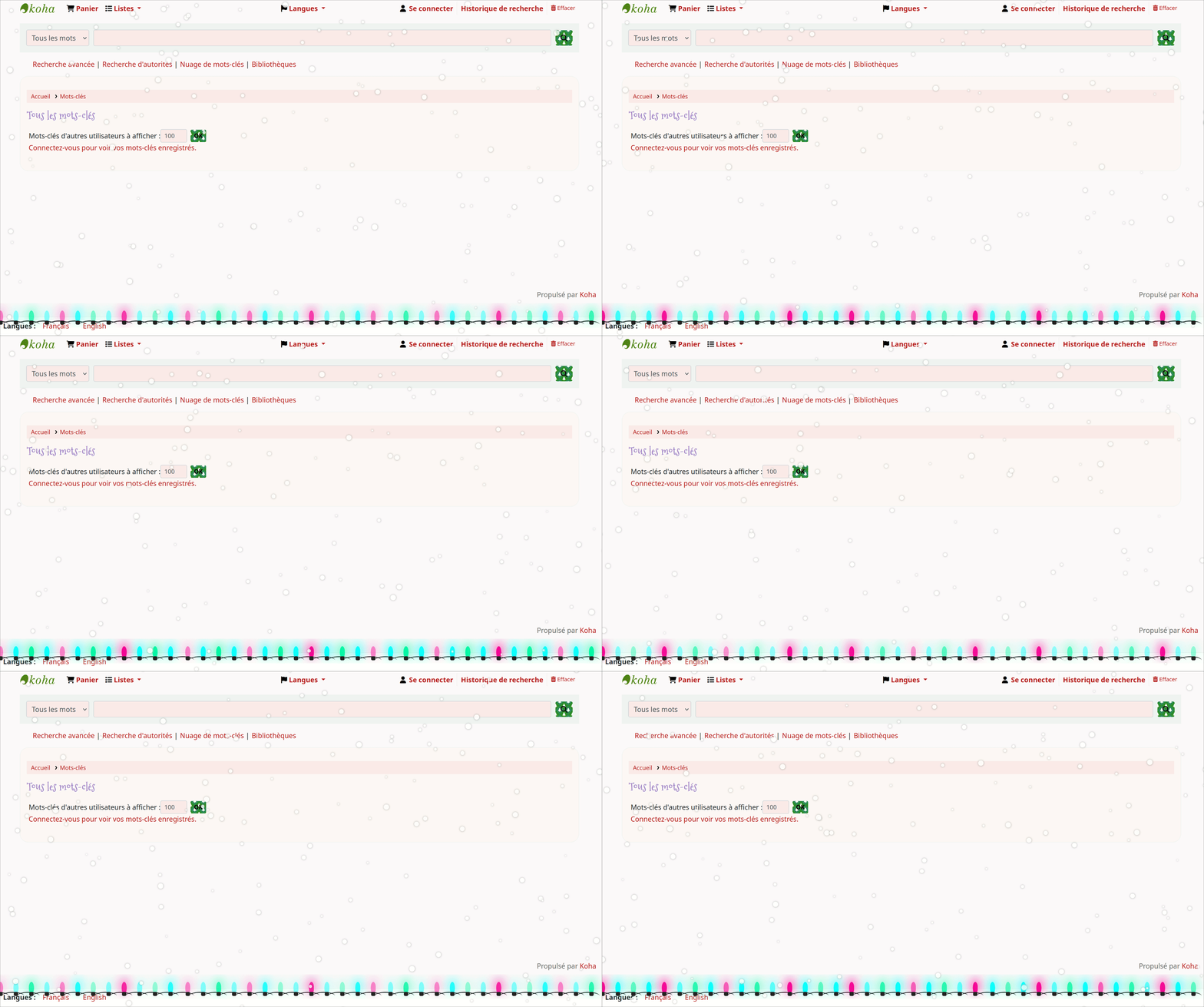
Each theme applies a specific palette that changes buttons, backgrounds, text, and icons. -
Addition of Modern Visual Elements:
Snowflakes, pumpkins, hearts, or other dynamic decorations depending on the season. -
Enable/Disable Elements:
Each animation can be turned on or off independently, offering precise control. -
Advanced Configuration:
Adjust the size, speed, number of elements, or their direction according to your needs. - Automatic Theme Scheduling
Each theme can be automatically activated on defined date ranges. - Multi-Device Preview
View the OPAC as it will appear on desktop, tablet, or phone before publishing.
Benefits of the Koha Celebrations Extension
-
Enhances the visual appeal of your OPAC during key periods.
-
Provides an immersive and festive user experience.
-
Allows for quick, code-free customization.
-
Operates in a modular and flexible manner.
-
Encourages user engagement and highlights the catalog effectively.
Best practices
-
Test themes using the preview before saving them.
- Configure all your celebrations in advance for the year.
- Stay up to date with new celebrations.