Use this procedure to manage double-issue periodical. A double-issue periodical is a single, combined publication that replaces two regularly scheduled issues of a magazine, journal, or newspaper (ex. extended break or holiday period, such as a “June/July” or “Christmas” edition.)
Three ways to access the serial receiving form
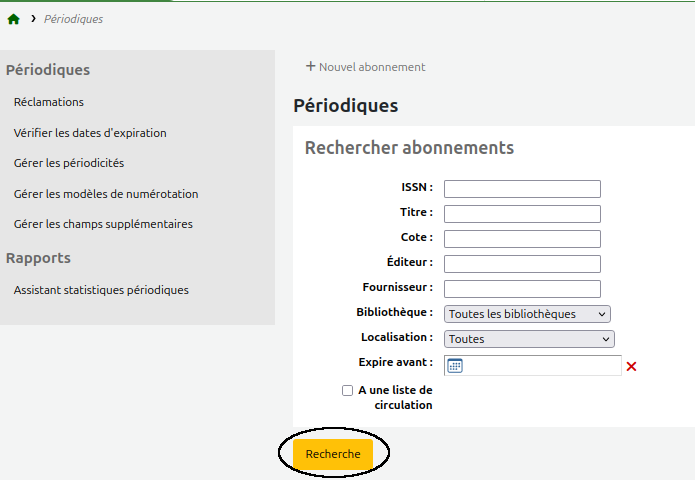
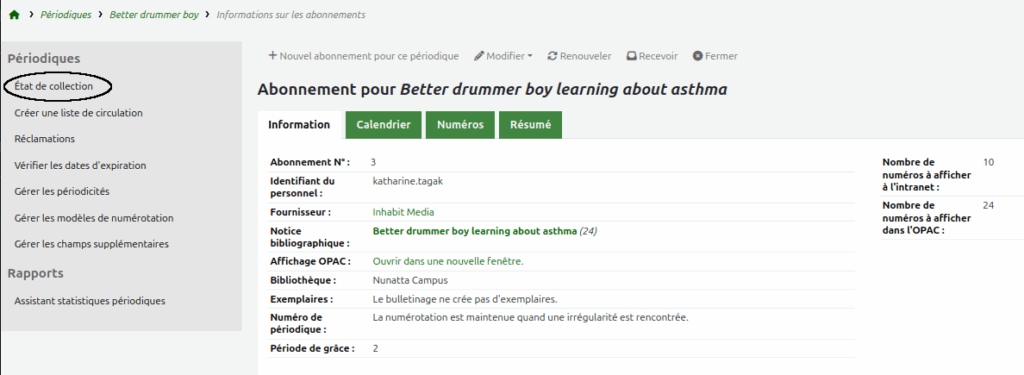
Go to Serials > Subscription search en cliquant sur le bouton « Search »
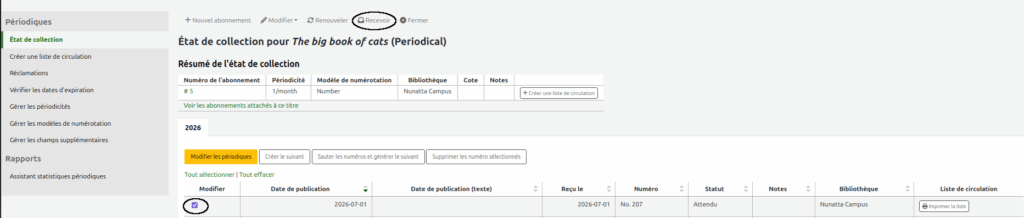
Method 1
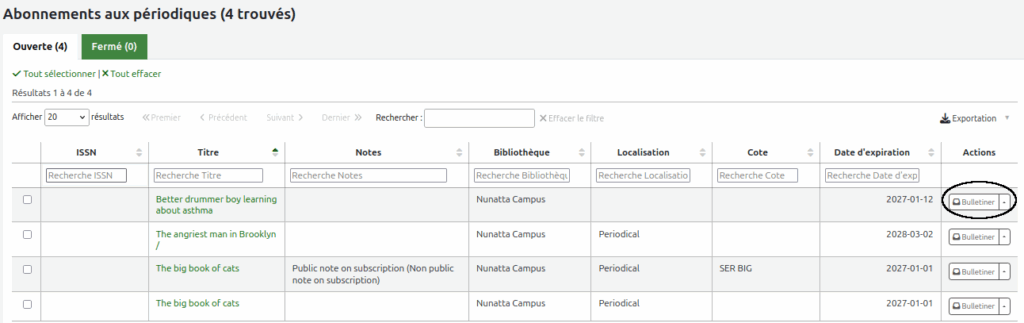
Select the title of the periodical you wish to receive in the list of results.
Click on the “Serial receive” button to the right of the subscription.
Method 2
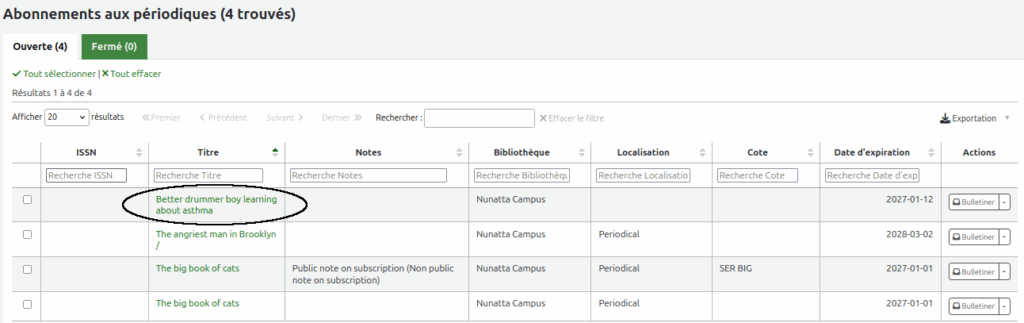
In the list of results, click the title of the periodical you wish to receive.
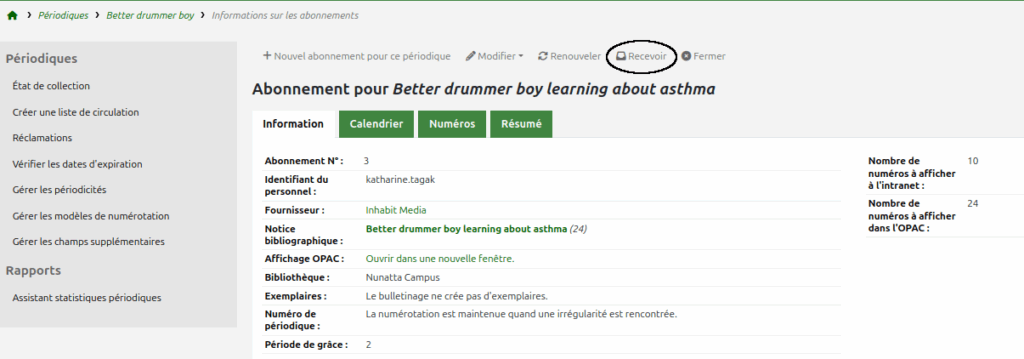
On the subscription page of this title, click the “Receive” tab.
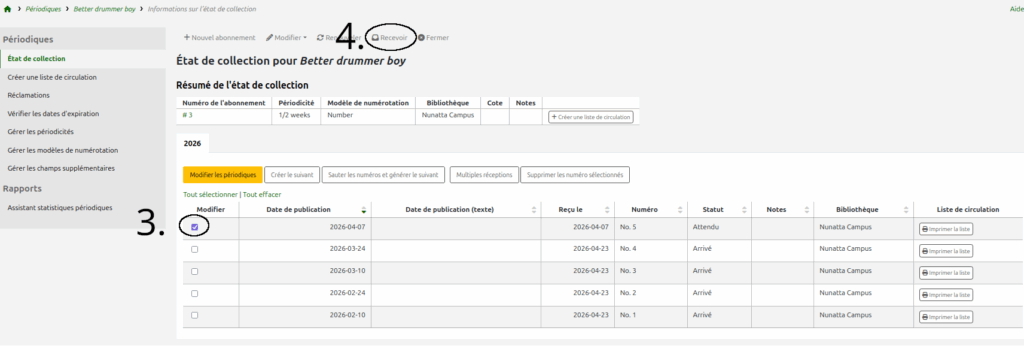
Method 3
In the list of results, click the title of the periodical you wish to receive.
In the facets on the left of the screen, clik on “Serial collection”.
Check the issue(s) to receive.
Click on the “Receive” tab.
Receiving double-issues
The three previous methods lead to the serial receiving form.
Case 1 : double-issue with double-numbering
Example: receiving a double issue (July-August) with double numbering.
May
No. 205
June
No. 206
July-August
No. 207-208
September
No. 209
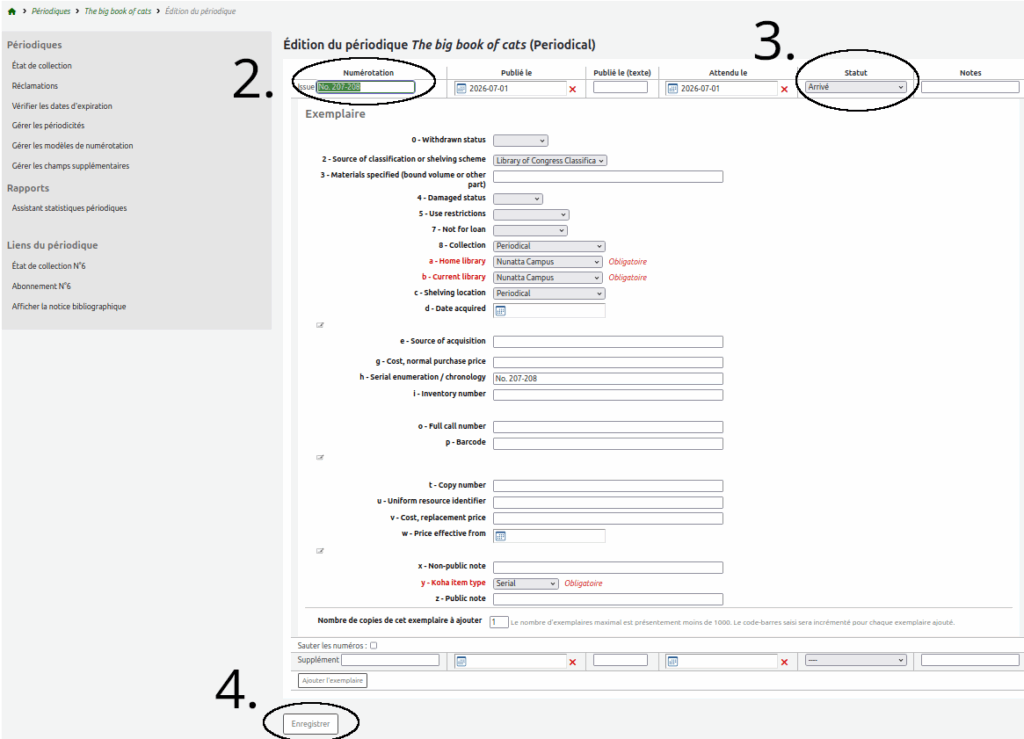
Receive July-August issue as usual.
Modify the numbering and inscribe “207-208” instead of “207”.
Change the periodical’s status by selecting “Arrived” from the drop-down menu.
Click on the « Save » button.
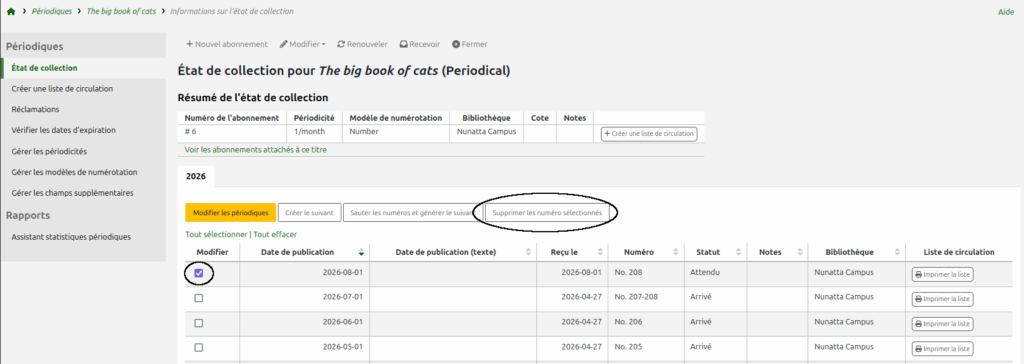
Select and delete the following issue that was automatically generated by Koha (August “No. 208”).
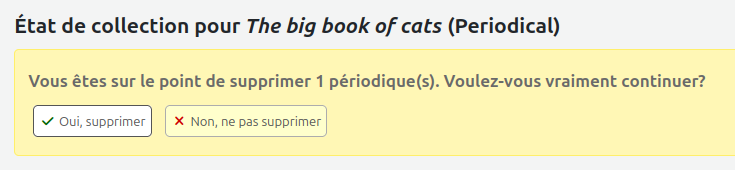
Confirm the deletion of the issue.
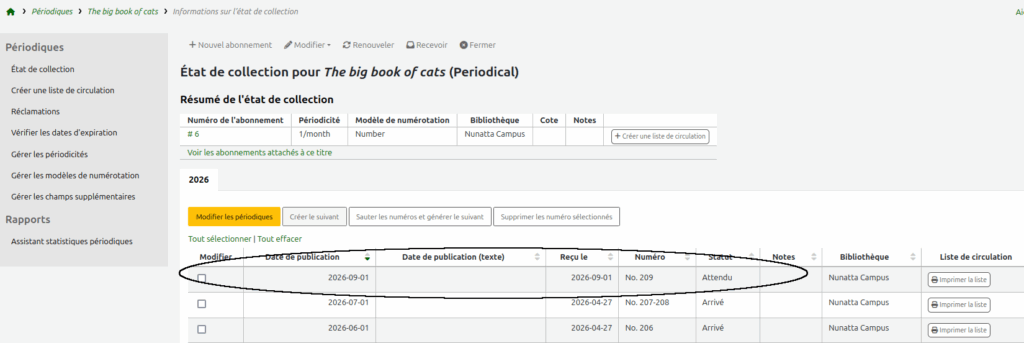
The newly generated issue will then become September “No. 209”.
Case 2 : single issue with double-numbering
Example: receiving an issue with double numbering.
May
No. 205
June
No. 206
July
No. 207-208
August
No. 209
Receive July issue as usual.
Modify the numbering and inscribe “207-208” instead of “207”.
Change the periodical’s status by selecting “Arrived” from the drop-down menu.
Click on the « Save » button.
Delete the following issue that was automatically generated by Koha (August “No. 208”).
Confirm the deletion of the issue.
The new automatically generated issue will then become September “No. 209”.
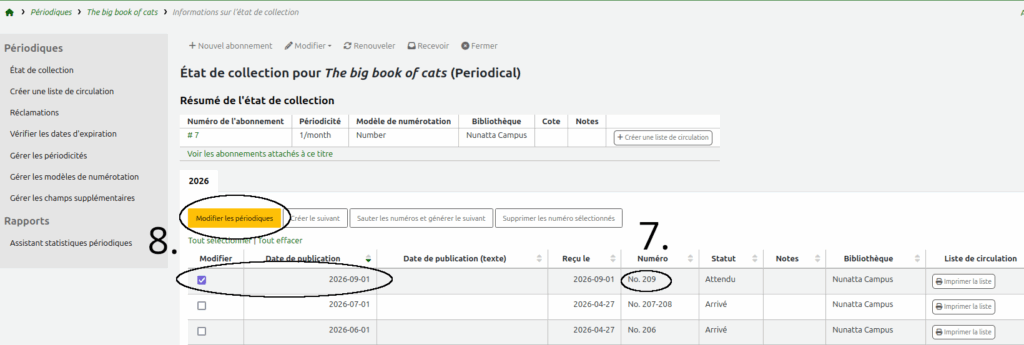
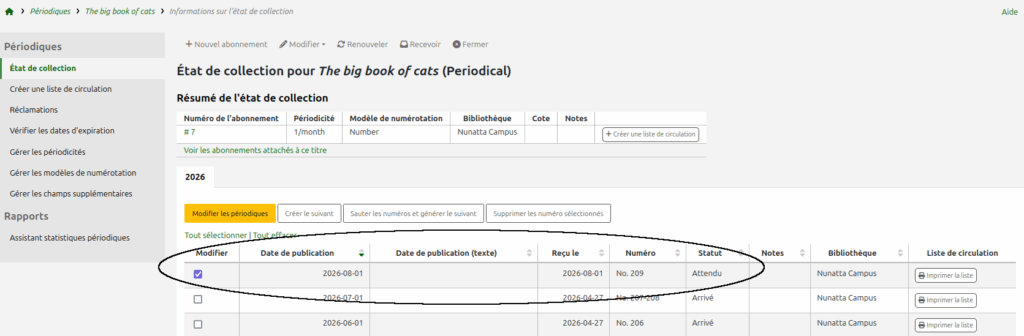
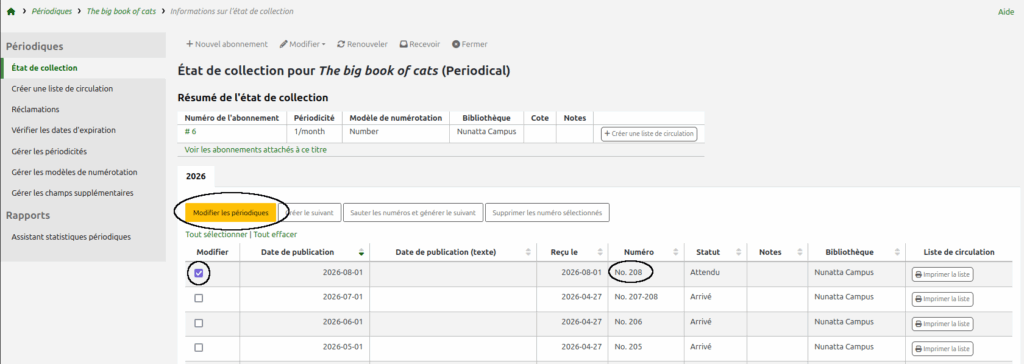
Select this issue and click the “Edit serials” button for the periodicals.
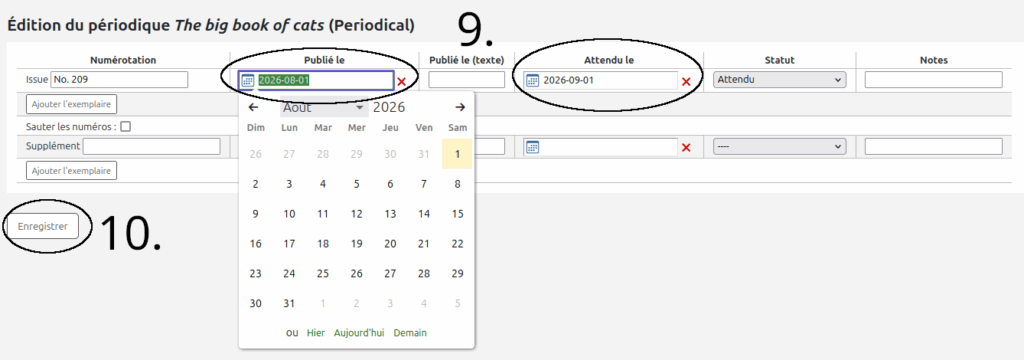
Change the dates in the “Published on” and “Expected on” columns by putting the August date instead of the September date.
Click the “Save” button.
The new automatically generated issue will then become August “No. 209”.
Case 3 : double-issue with simple-numbering
Example: receiving a double-issue but the numbering remains persistent.
May
No. 205
June
No. 206
July-August
No. 207
September
No. 208
Receive July issue as usual.
The new number automatically generated by Koha will then be August with the number “No. 208”.
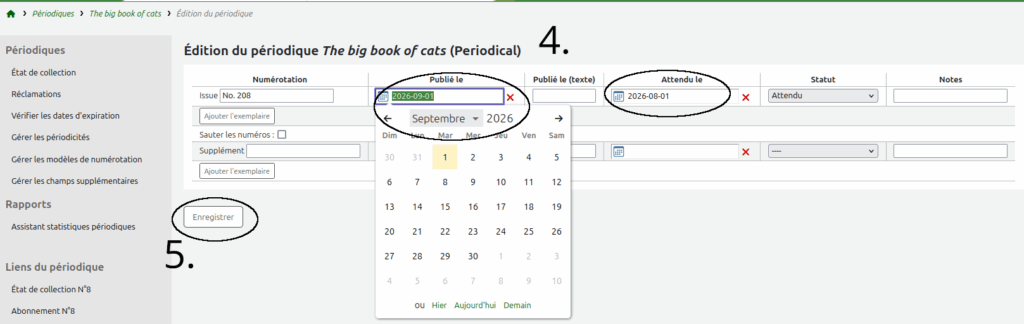
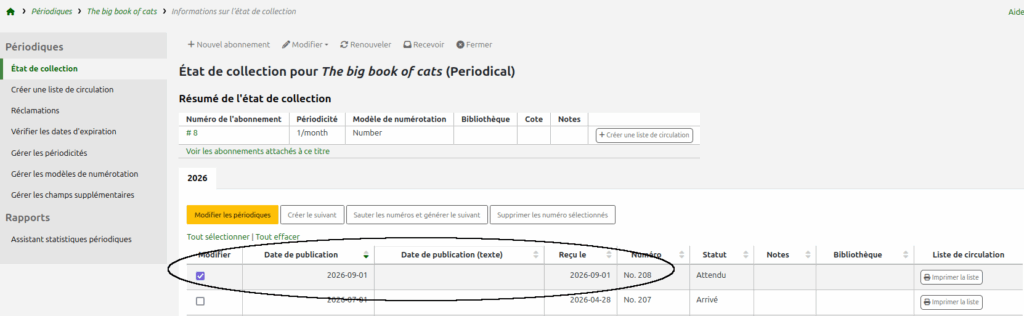
Select this issue and click the “Edit serials” button for the periodicals.
Change the dates in the “Published on” and “Expected on” columns by putting the September date instead of the August date.
Click on the « Save » button.
The new number automatically generated by Koha will then be September with the number “No. 208”.