In some organisations, authority control can be important on informations that are not usually controlled by authorities. Here’s how to add a new authority type in Koha.
Create a new authority type
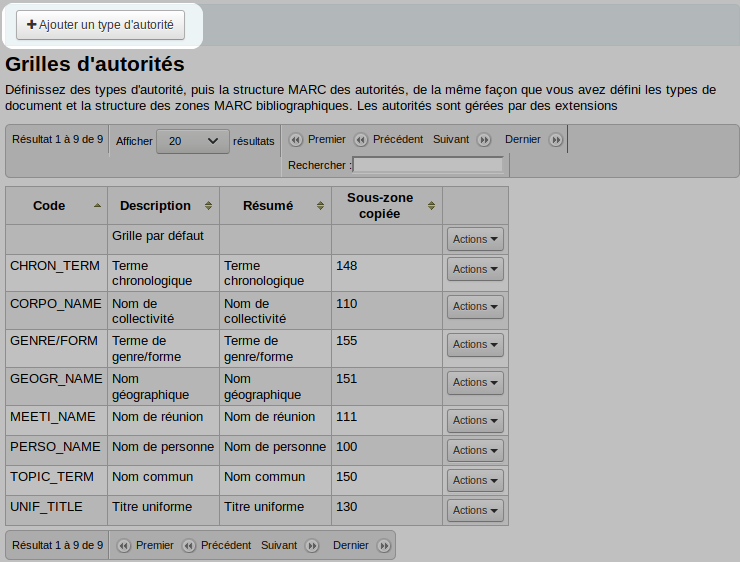
Go to Administration > Authority types
Click on “New authority type”
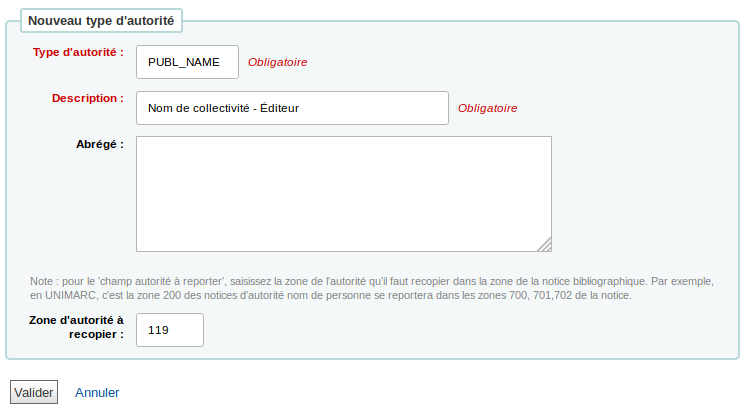
Fill out the form
Authority type: this is a 10-character code to identify the authority type
Description: this is the name of the authority type
Summary (optional): this is a summary of the use of this authority type
Authority field to copy: this is the field in the authority record that will be copied to the bibliographic record (for example, field 150 of subject authority types is copied to the bibliographic record)
Click on “Submit”
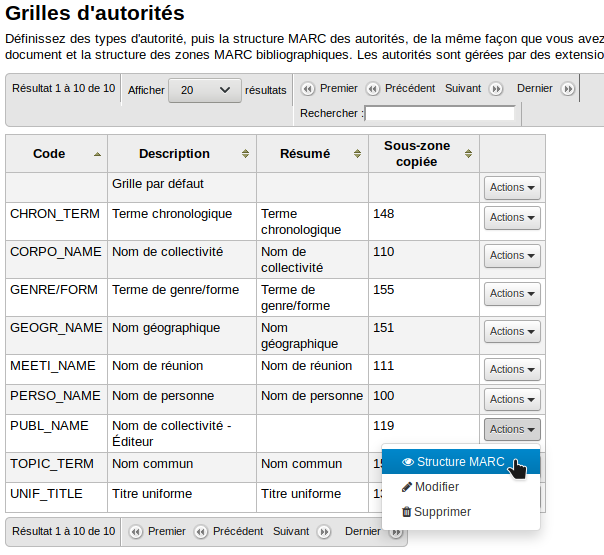
Next to you new authority type, click on “Actions” and choose “MARC structure”
Choose which authority framework you want to copy to your new type.
If needed, you can modify the framework (see How to create new MARC framework, it’s the same process for bibliographic frameworks and authority types)
Add authority control to the bibliographic framework
Go to Administration > MARC bibliographic framework
To the right of the framework, click on “Actions” and choose “MARC structure”
Search for the field to which you want to add authority control
Click on “Actions” and choose “Subfields”
Click on “Edit subfields”
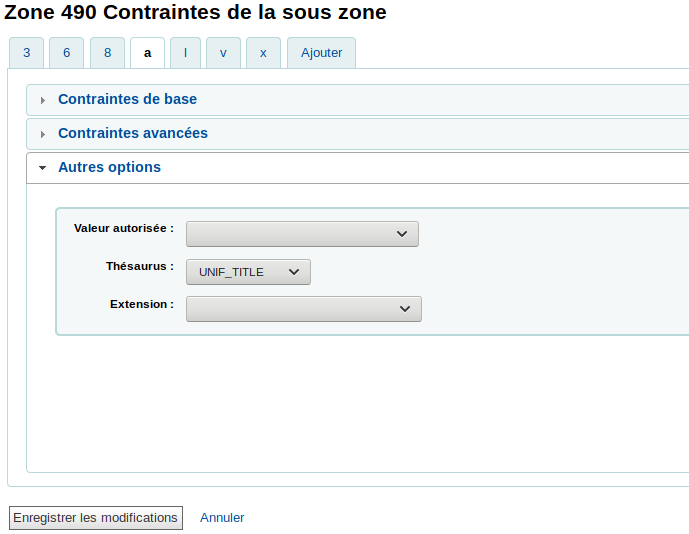
In subfield a, click on “Other options (choose one)”
NOTE: Authority control does not work well on subfields other than a.
In the “Thesaurus” menu, choose the authority type that matches this field